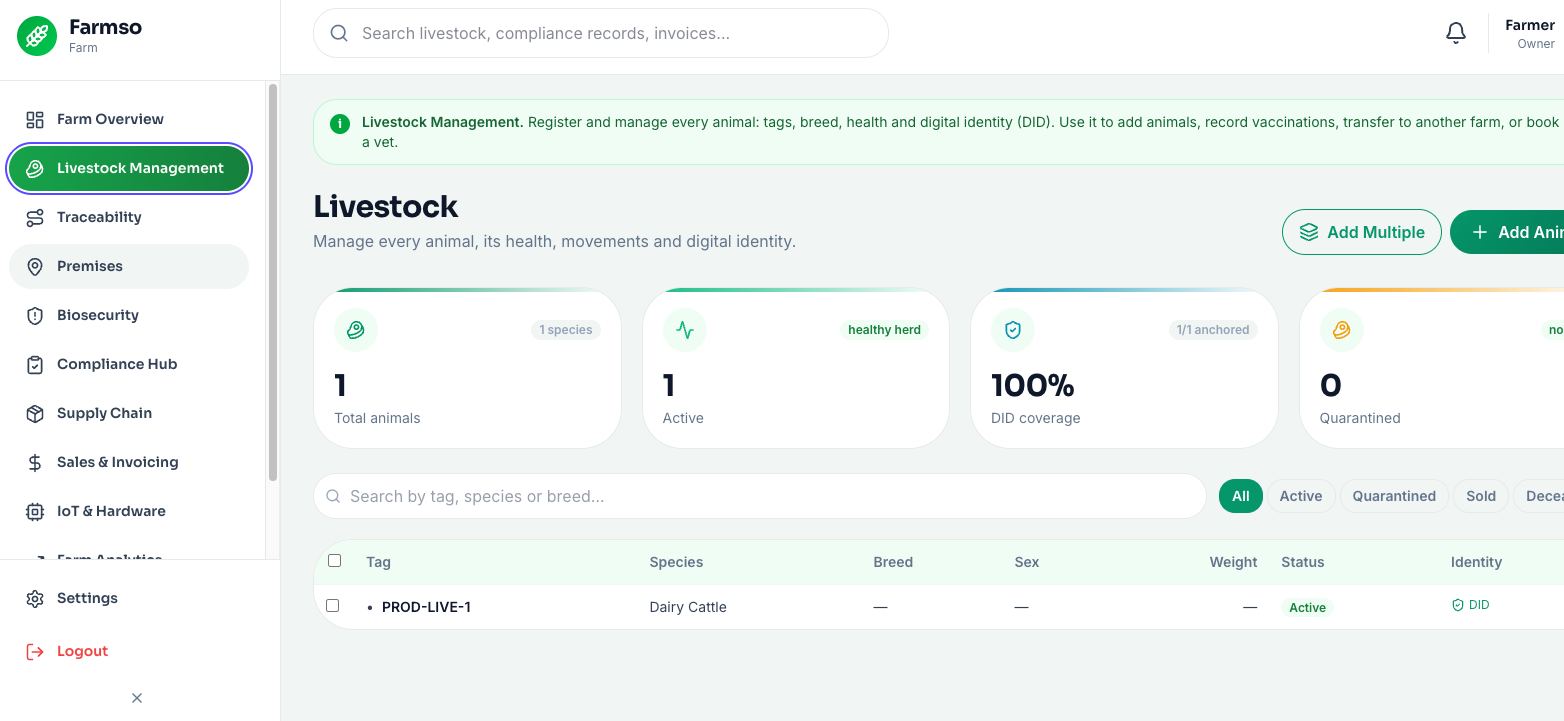
Livestock management is the heart of Farmso: the register of every animal you own, each with a digital passport. From here you add animals, edit their details, record health and treatment events, track withdrawal periods, and see an animal’s full life history.
Use case
A cattle farmer tags a newborn calf, records its dam and breed, and later logs a vaccination with a 28-day meat-withdrawal period. When it is time to move or sell the animal, Farmso already knows whether the withdrawal has cleared — no manual cross-checking, no accidental non-compliant sale.
Register an animal
- 1
Open Livestock
In the web app sidebar, choose Livestock Management.
- 2
Add an animal
Click Add and enter the tag/EID, species, breed, sex and date of birth. Optionally set the birth premises and sire/dam.
- 3
Save
The animal now has a passport. Open it any time to see identity, health, movements and compliance tabs.
- 4
Record health
On the animal’s Health tab, add vaccinations, treatments, diagnoses, weights or mortality — set a withdrawal period where relevant.
Register an animal
- 1
Scan or tap Add
Tap the centre Scan button and scan the ear tag; if it is unknown, choose Register — the tag is pre-filled. Or open Animals and tap +.
- 2
Fill the essentials
Pick species, breed, sex and date of birth, and the premises. Save.
- 3
Works offline
If you are out of signal the animal is queued and syncs automatically — you will see “Will sync when online”.
- 4
Record health on the animal
Open the animal, go to Health, and add a treatment with an optional withdrawal in days.
Working a whole race? Use continuous scan mode in the mobile app to scan many tags in a row and apply the same action (e.g. a vaccination) to each — see the Scanning guide.
FAQ
The time after a treatment during which the animal’s meat, milk, eggs or honey cannot enter the food chain. Farmso records it per consumable and warns you before a movement, sale or harvest if it has not cleared.